

Description
Download WiFi QR Code Scanner – Free, Secure, Cross-Platform QR Code Tool for Windows, Mac, Android & iOS
Transform your smartphone into a powerful Wi-Fi QR code scanner with this free, secure, and cross-platform software. Instantly transfer website content from QR codes to your PC with one click. Compatible with Windows, Mac, Android, and iOS, this tool combines a QR code scanner and Wi-Fi hotspot in one seamless app. Perfect for students, professionals, and tech enthusiasts who want fast, reliable access to digital content.
Why WiFi QR Code Scanner Is a Must-Have Tool for Modern Users
In today’s fast-paced digital world, efficiency and seamless connectivity are essential. The WiFi QR Code Scanner stands out as a versatile and intuitive software solution that bridges the gap between mobile devices and desktop computers. Whether you're a student researching online, a professional managing digital assets, or a casual user exploring new websites, this tool streamlines the process of accessing information from QR codes. Instead of manually typing long URLs or copying links, simply scan the QR code with your smartphone, and the content is instantly transferred to your PC via Wi-Fi. This eliminates human error and saves valuable time. The software’s ability to function as both a QR code scanner and a Wi-Fi hotspot makes it ideal for environments with limited internet access or unstable connections. You can create a secure local network and transfer data without relying on public Wi-Fi. The interface is clean and user-friendly, designed for both beginners and advanced users. No technical expertise is required—just download, install, and start scanning. With support for all major operating systems, including Windows, Mac, Android, and iOS, it ensures compatibility across your entire digital ecosystem. The free download option makes it accessible to everyone, while the optional user guide provides step-by-step instructions for optimal use. Regular updates ensure security patches and new features are delivered promptly, keeping your experience safe and up to date.
Key Features That Make WiFi QR Code Scanner Stand Out
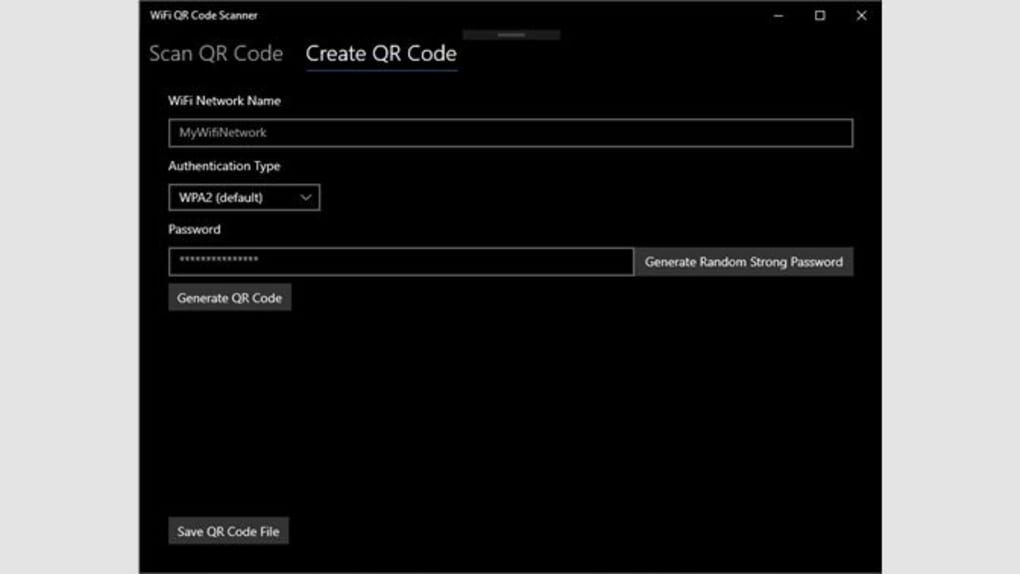
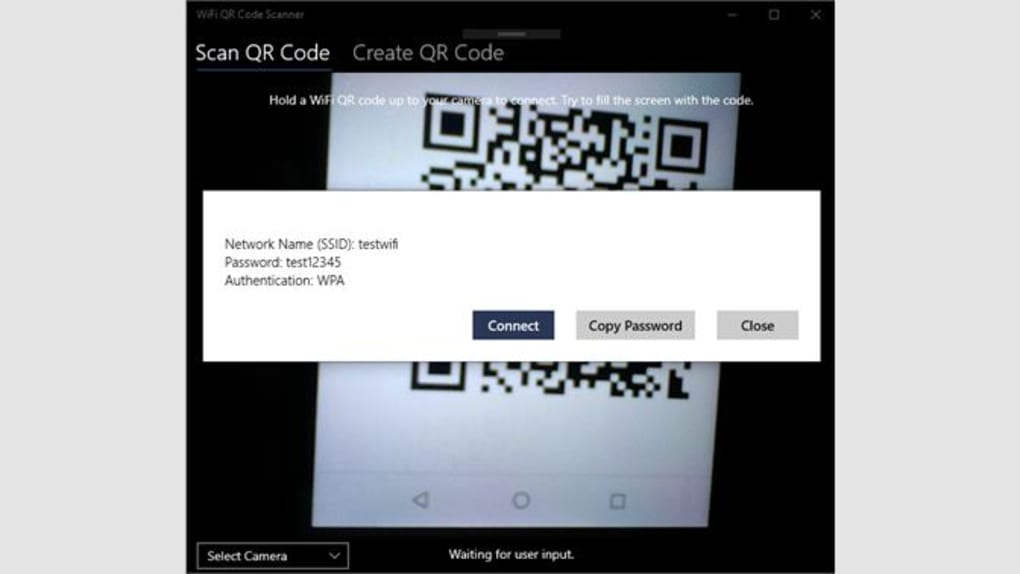
The WiFi QR Code Scanner offers a robust set of features designed to enhance productivity and simplify digital interactions. One of its standout capabilities is the seamless transfer of website content from QR codes directly to your PC. This is particularly useful when dealing with event registrations, digital menus, or online forms that are shared via QR codes. Instead of opening the link on your phone and manually copying the URL, the app automatically sends the content to your desktop browser with a single tap. This not only improves efficiency but also reduces the risk of errors during manual input. Another powerful feature is its dual functionality as a Wi-Fi hotspot and QR code scanner. This allows you to create a secure local network, ideal for sharing files or accessing content in remote or low-connectivity areas. The software supports all major QR code types, including URL, text, contact, and Wi-Fi network credentials, ensuring compatibility with nearly every use case. Advanced scanning algorithms ensure fast detection and decoding, even in low-light conditions or with distorted codes. The app also maintains a history log of scanned codes, so you can revisit previously accessed content without rescan. For privacy-conscious users, the software operates entirely offline after initial setup, meaning your data never leaves your device unless you choose to share it. With automatic updates, you’ll always have the latest security enhancements and performance improvements. The free version includes all core features, while premium upgrades unlock additional tools like batch scanning and cloud backup. Whether you're using it on a Windows laptop, Mac, Android phone, or iOS device, the experience remains consistent and reliable.
Installation & Usage Instructions for Beginners
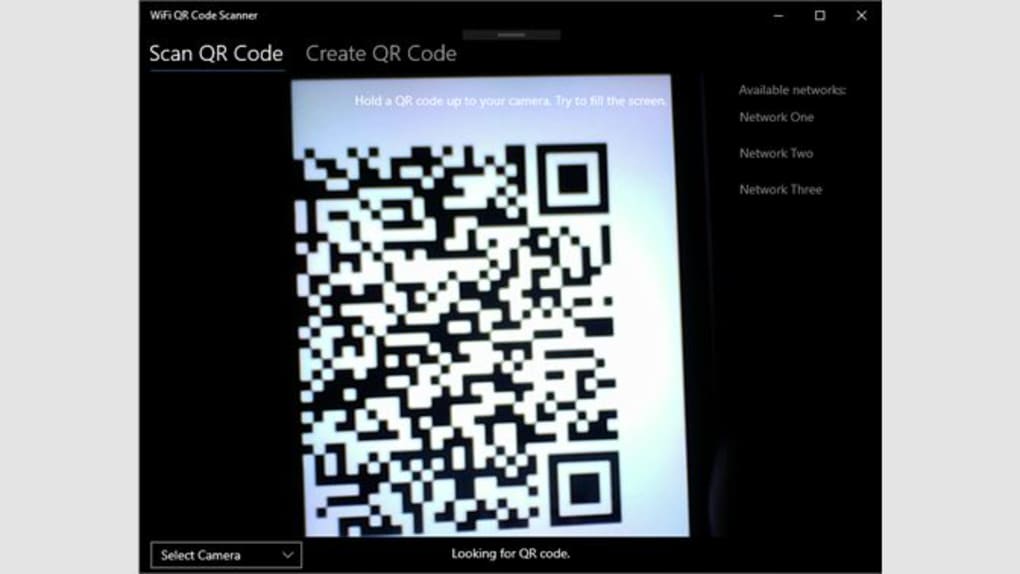
Getting started with the WiFi QR Code Scanner is straightforward and requires minimal technical knowledge. Begin by visiting the official website and downloading the software for your operating system—Windows, Mac, Android, or iOS. The download is completely free and secure, with no hidden fees or third-party ads. Once downloaded, run the installer and follow the on-screen prompts. The installation process typically takes less than a minute. After installation, launch the app and grant the necessary permissions, such as camera access and network connectivity. These permissions are essential for scanning QR codes and creating a Wi-Fi hotspot. Next, open your smartphone’s camera or use the built-in QR code scanner app, and point it at the QR code you wish to scan. The software will detect the code instantly and display the content on your PC screen. If you're using the Wi-Fi hotspot feature, the app will prompt you to connect your device to the newly created network. Once connected, you can transfer files, access shared content, or browse the internet through the local network. For first-time users, the included user guide offers detailed walkthroughs, troubleshooting tips, and best practices. The interface is intuitive, with clearly labeled buttons for scanning, history viewing, and settings. You can customize scan preferences, such as auto-activation, notification alerts, and file-saving options. Regular updates are pushed automatically, ensuring your software remains secure and optimized. To maximize performance, keep your device’s operating system and camera software up to date. This tool is perfect for both personal and professional use, whether you're managing digital marketing campaigns, organizing events, or simply exploring the web more efficiently.
Compatibility & System Requirements for Smooth Performance
The WiFi QR Code Scanner is engineered for broad compatibility, ensuring it works flawlessly across a wide range of devices and platforms. It supports Windows 7 and later, macOS 10.12 or higher, Android 6.0 and above, and iOS 11 and newer. This cross-platform functionality makes it an excellent choice for users with mixed-device environments. Whether you're working on a Windows desktop, a MacBook, an Android tablet, or an iPhone, the software delivers consistent performance and identical feature sets. The app is lightweight, requiring minimal system resources—just 50MB of storage and 200MB of RAM—making it suitable for older or low-spec machines. It also runs efficiently on devices with limited processing power, such as budget laptops or older smartphones. The camera integration is optimized for both front and rear cameras, allowing for accurate scanning in various orientations. For users relying on Wi-Fi hotspot functionality, the software supports standard Wi-Fi protocols (802.11a/b/g/n/ac), ensuring stable connections even in crowded network environments. No additional hardware is required—everything works directly through your device’s built-in camera and network adapter. The software is also compatible with most external QR code scanners, expanding its usability in business and industrial settings. Security is a top priority: all data transfers occur locally, and no personal information is stored or transmitted without your consent. With regular updates, the app stays compatible with new OS versions and security standards. Whether you're using it at home, in the office, or on the go, the WiFi QR Code Scanner adapts to your needs without compromising performance.
Pros and Cons: Is WiFi QR Code Scanner Right for You?
- Pros:
- Free to download and use with no hidden costs
- Works seamlessly across Windows, Mac, Android, and iOS
- Combines QR code scanning with Wi-Fi hotspot functionality
- Fast, accurate scanning even in low-light conditions
- Supports all major QR code types including URLs, contacts, and Wi-Fi credentials
- Offline mode ensures privacy and data security
- Automatic updates for enhanced security and performance
- User-friendly interface with intuitive navigation
- Cons:
- Limited advanced features in the free version (e.g., batch scanning, cloud backup)
- Requires camera and network permissions for full functionality
- May consume more battery on older smartphones during extended use
- Wi-Fi hotspot performance can vary slightly depending on device hardware
Frequently Asked Questions (FAQ)
Is WiFi QR Code Scanner free to download?
Yes, the WiFi QR Code Scanner is completely free to download and use. There are no hidden fees or subscription charges. The core features are available in the free version, with optional premium upgrades for advanced tools.
Can I use it on both Windows and Mac?
Absolutely. The software is fully compatible with Windows 7 and later, as well as macOS 10.12 and newer. You can install and use it on both platforms without any issues.
Does it work with Android and iOS devices?
Yes, the app is available for both Android (6.0+) and iOS (11+). You can use your smartphone as a scanner and transfer content to your PC via Wi-Fi.
Is my data secure when using the app?
Yes, the software prioritizes user privacy. All data transfers occur locally, and no personal information is stored or shared without your consent. The app supports offline mode for maximum security.
Can I scan QR codes without an internet connection?
Yes, the app supports offline scanning. You can scan and view QR code content even without an active internet connection, making it ideal for remote or low-connectivity areas.
Final Verdict: Upgrade Your Digital Workflow Today
If you're looking for a reliable, secure, and free tool to scan QR codes and transfer content to your PC, the WiFi QR Code Scanner is an excellent choice. Its cross-platform compatibility, intuitive design, and dual functionality as a scanner and Wi-Fi hotspot make it a must-have for modern users. Whether you're a student, professional, or casual user, this software simplifies how you interact with digital content. The free download option ensures accessibility, while regular updates keep it safe and efficient. With strong pros and only minor cons, it offers exceptional value. Don’t miss out—download the WiFi QR Code Scanner today and experience seamless connectivity like never before.
Download now and transform your digital workflow!
Guides & Tutorials for WiFi QR Code Scanner
How to install WiFi QR Code Scanner
- Click the Preview / Download button above.
- Once redirected, accept the terms and click Install.
- Wait for the WiFi QR Code Scanner download to finish on your device.
How to use WiFi QR Code Scanner
This software is primarily used for its core features described above. Open the app after installation to explore its capabilities.
User Reviews for WiFi QR Code Scanner 0
No reviews found





